In this article, I define the advantages and disadvantages of both navigation variants and show the compromise I have been using for some time.
The User Interface for GDL objects was introduced with ArchiCAD 6.5. It had a maximum size of 310 x 266 pixels and had UI_NEXT and UI_PREV buttons as page navigation, with which you could navigate 1 page forward or backward respectively. Alternatively, you could also implement a checkbox navigation, which was controlled with GLOB_MODPAR_NAME.
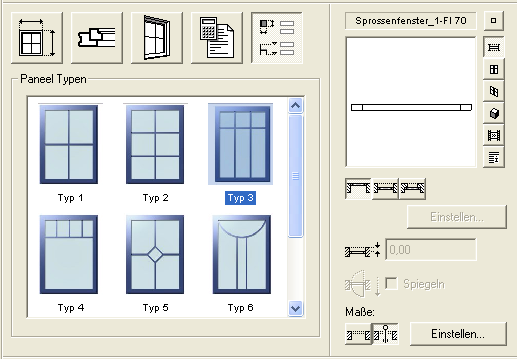
In a later version, the interface size was increased to 444 x 266 pixels and buttons or tabs began to be used for navigation.
Here is an example of a TAB page navigation from ArchiCAD 12.
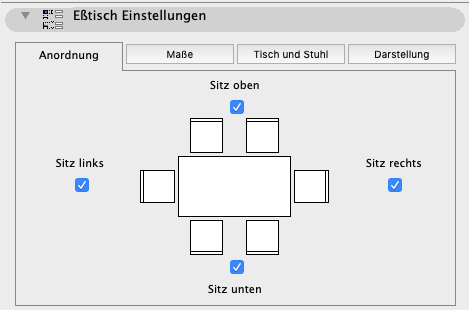
The advantage is that you have an overview of all pages and only need 1 click for each page change.
The disadvantage is that you can only use a limited number of pages because otherwise the text no longer fits in the tabs.
In addition to TAB navigation with text, you can also create one with images. This has the advantage that you can fit more tabs on a page than with text.
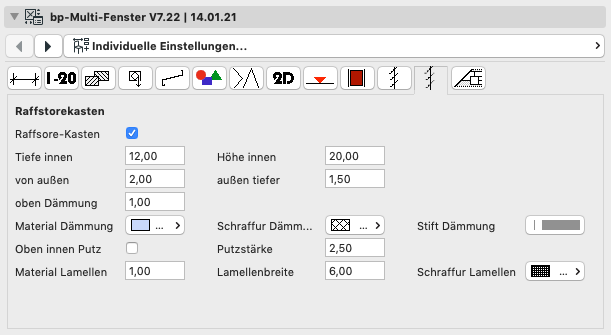
In parallel with tab navigation, page navigation via selection button plus forward and back buttons was introduced and developed, and for a long time was the standard navigation in ArchiCAD objects by Graphisoft (see the following example).
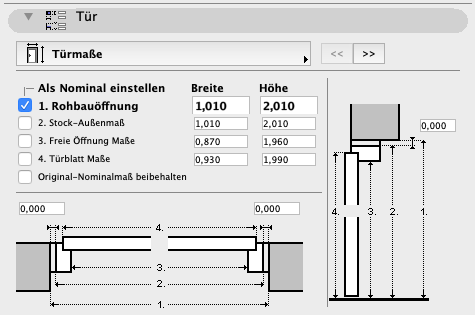
The advantage of this type of navigation is that you can manage any number of UI pages while remaining somewhat organized.
The disadvantage is that instead of 1 click with tab navigation, you need 2 clicks for page navigation if the pages are not directly adjacent to each other, and you first have to click the selection button to get an overview of all pages.
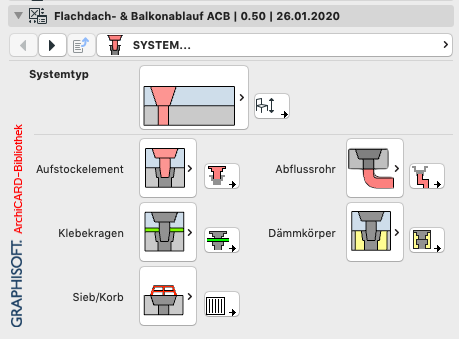
With ArchiCAD 19, Graphisoft introduced so-called Hierarchical Navigation for windows and doors and gradually retrofitted it to all object types in subsequent versions. This navigation type thus became the de facto standard.
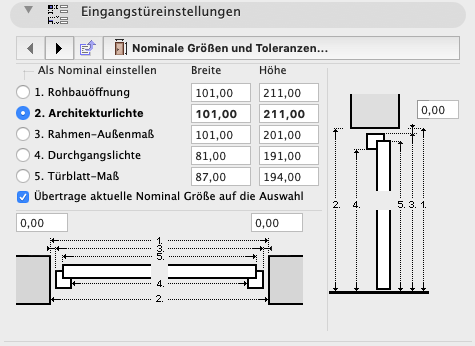
This navigation was optically minimally optimized up to ARCHICAD 24.
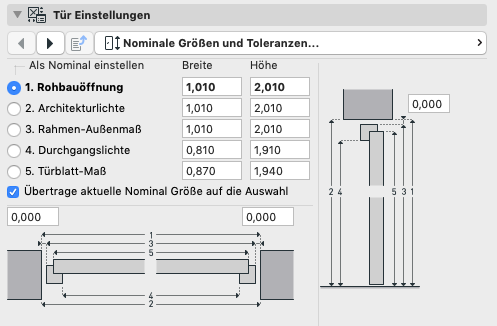
This type of navigation has the following advantages:
- The navigation area is for the first time not in the User Interface area of 444 x 266 pixels, but above it. You have more space for parameter settings in the User Interface.
- You can manage any number of pages and additionally group them hierarchically for better organization.
- There is a button to "go back to the parent page".
This navigation type has the following disadvantages:
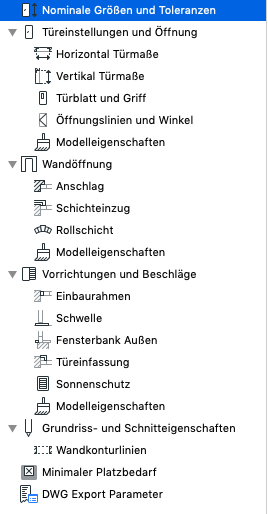
- You need 3 clicks to navigate from one page to another. Why can't you do it the way it works on any website navigation? There I go to the navigation without a mouse click, which then expands depending on the mouse position, and I can switch to another page with a single click. That would be the optimal object navigation. When I asked Graphisoft about this, they said that's not possible because the C++ libraries they use don't support it.
- The clarity of the flyout is already somewhat borderline. Various architects complain that they can't find their way around well.
- You first have to click the selection button to get an overview of all pages.
A few years ago, I extended the TAB navigation in such a way that in addition to the main tabs at the top, there are sub-tabs at the very bottom. This makes it possible to accommodate significantly more total tabs even with text tabs.
For example, my roof structure object, of which the User Interface is shown on the right, has a total of 15 tab pages.
The TAB navigation with sub-tabs was then my navigation favorite for years, with which I equipped most of my objects.
After discussions with colleagues who prefer Graphisoft's Hierarchical Navigation, I developed a hybrid form two years ago that contains both Hierarchical Navigation and TAB Navigation. Both systems work in parallel and lead to the same destination in different ways, whereby the respective counterpart of course also displays the correct page after a page change. This navigation has been implemented in the gable roof interface shown on the right.
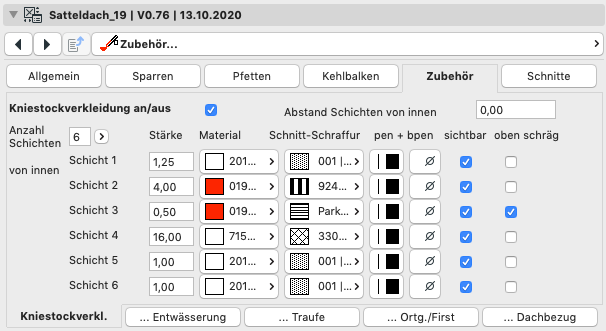
The automatically generated interface script in Rukovoditel provides exactly this type of navigation with both variants together and currently represents my current standard.
I believe that with TAB navigation in the settings dialogs, you can find your way around much better than with Hierarchical Navigation.
I developed pure Hierarchical Navigation for an object for Graphisoft's ArchiCAD library because that was required. To improve clarity, however, I also added direct links to other pages (these are the small buttons with arrows that lead to the settings of the corresponding selection elements), a kind of decentralized button navigation alongside Hierarchical Navigation.